The free trial is now 14 days with no limits
The trial no longer caps your library. For 14 days every feature works on your whole collection with no watermark, and nothing is taken away when it ends.
On this page
The firelet.media Gallery free trial is now 14 days with no limits. Every feature works on your whole photo collection, with no picture cap, no folder cap and no watermark, and you don't need a card, an account or even an email address to start. When the 14 days end, nothing is deleted: your library stays browsable and searchable.
What changed
Until now the trial ran for 30 days but capped what you could try it on: 50 pictures and 3 folder changes. That was enough to see the app, but not enough to see what it does for a real collection. From 27 September 2026, the trial works the other way round.
| The old trial | The trial now | |
|---|---|---|
| Length | 30 days | 14 days |
| Pictures | Up to 50 | No limit |
| Folder changes | Up to 3 | No limit |
| Features and watermark | – | Every feature, nothing disabled, no watermark |
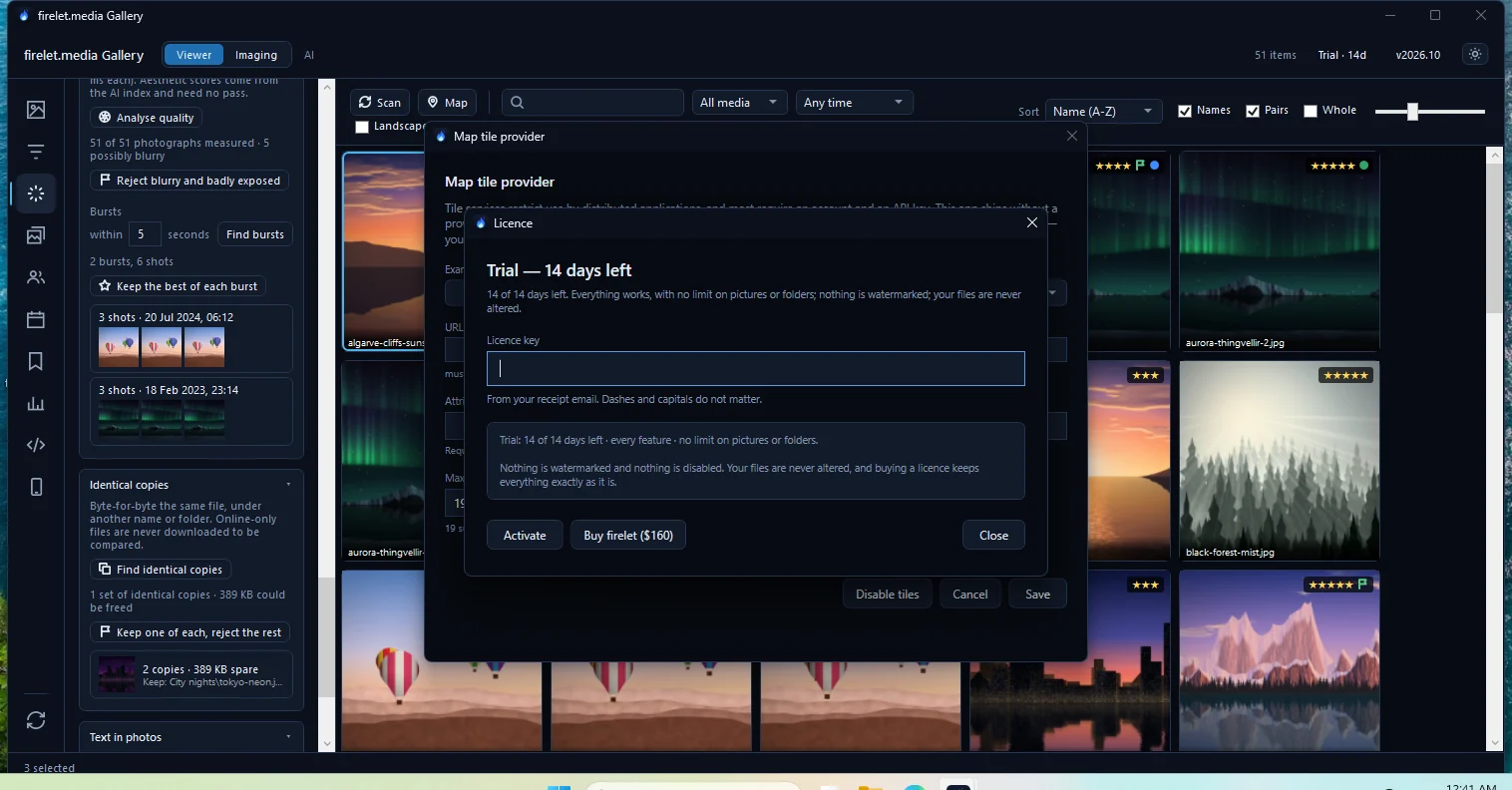
The Licence window says it plainly: "every feature · no limit on pictures or folders. Nothing is watermarked and nothing is disabled." Your files are never altered during the trial, and buying later keeps everything exactly as it is.
Why judge a photo manager on your whole library
Fifty pictures can show you what the buttons look like. They can't show you whether the thing is worth paying for. A photo manager earns its keep on 20,000 pictures spread across three drives, not on a sample folder.
Two weeks with no limits lets you try the parts that only make sense at full size:
- Description search. Download the AI model (438 MB, once), run Index library, and search years of photos for "kids on a trampoline". You'll see how quickly your own PC indexes and searches your own collection.
- Duplicates. Find identical copies across every drive you attach, and see how many copies you've been carrying around.
- Faces. Group every face in the family archive and name each person once.
- Text in photos. Read the text in every receipt and screenshot, then find them by their words.
- The map and the calendar. See a decade of travel on the map and look back at On this day across all your years.
It also shows you how your own computer copes, which no sample folder can. On Windows the AI uses your graphics card when it can and falls back to the processor automatically. The results are the same either way, but indexing speed depends on your hardware, so it's worth seeing on the PC you'll actually use. And nothing about your library is uploaded while you try it, or ever.
What happens after 14 days
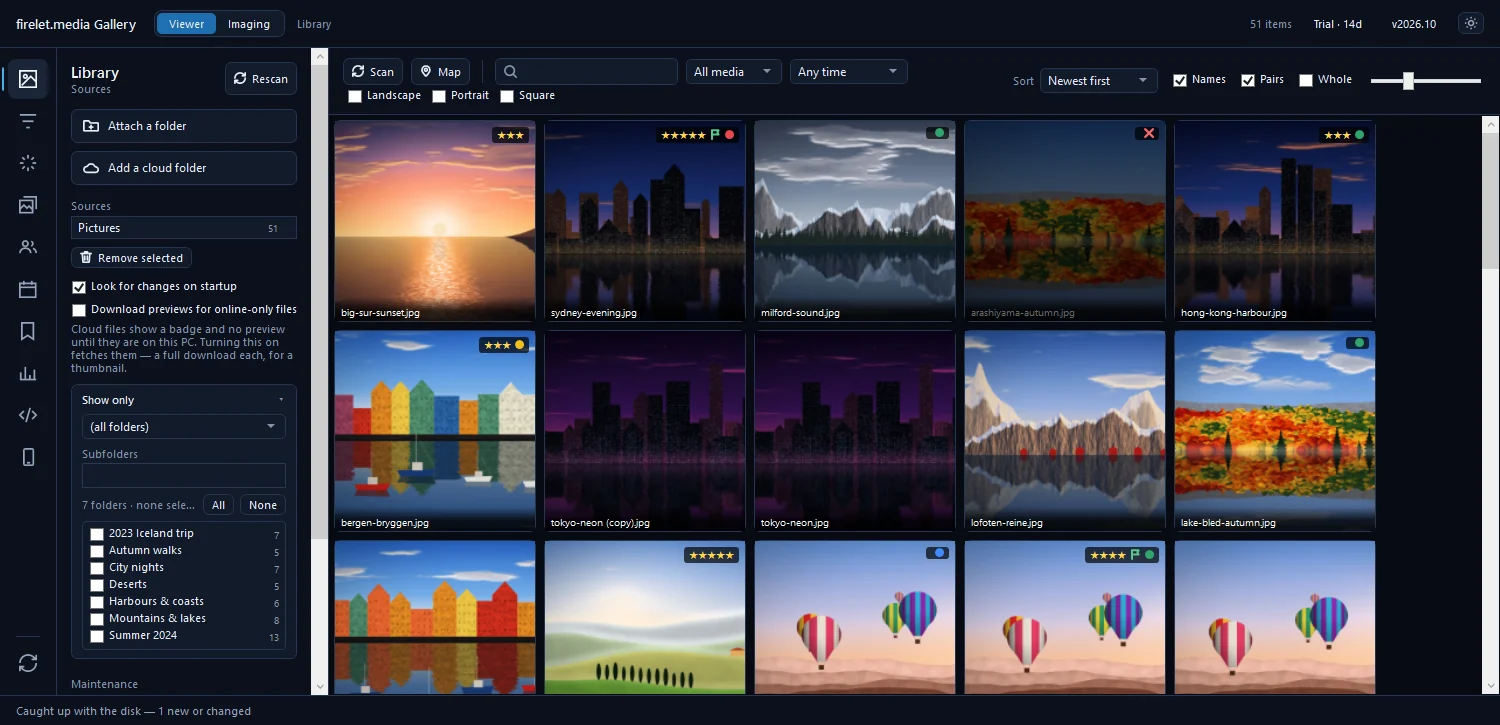
The title bar shows how long is left: the licence label reads Trial · 14d, then Trial · 13d and so on, and its tooltip says how many days remain. There's no trial-ending email.

When the trial ends, the label changes to Trial over, and this is what happens:
- Nothing is deleted. Every picture, album, star, keyword, name and edit you added stays exactly where it was.
- Everything already in the library stays browsable and searchable. Description search, filters, the map and the viewer all still work on what's there.
- Nothing new is added. New files aren't scanned in, and import, AI indexing, face finding, quality analysis, text reading, camera-data reading, place look-ups and pictures sent from phones all pause.
The app's own message puts it this way: "The 14-day trial has ended, so nothing new is added to the library. Everything already in it can still be browsed and searched — enter a licence key to carry on where it stopped."
From trial to licence in one step
When you decide to keep it, buying and activating takes a couple of minutes, and your library doesn't need to be rebuilt.
- Buy firelet.media Gallery from the pricing page. It's $160 once per computer, and a year of updates for $100 is optional.
- Copy your licence key from the email "Your firelet.media Gallery licence key", or from Licences in your account.
- In the gallery, click the licence label in the title bar (
Trial · 5dorTrial over, for example). The Licence window opens. - Paste the key into Licence key. Dashes and capitals don't matter.
- Click Activate. It needs an internet connection this once.
The app replies "Activated. Everything is unlocked — your library is untouched and needs no rescan." If the trial had already ended, it carries on exactly where it stopped. The next scan or import simply picks up everything that arrived in the meantime.
One key can cover several computers: choose how many at checkout, and each one is $160. Details are in how to activate your licence key and Pay once, own it: how firelet.media Gallery is priced. And if you change your mind after buying, refunds are one button for 14 days.
How to start
The Windows app is available now. The macOS and Linux builds, which are being finished, will have the same 14-day trial.
- Go to the download page and download the installer (about 67 MB, for 64-bit Windows 10 version 2004 or later, or Windows 11).
- Run it. It installs just for you by default, with no administrator prompt.
- Launch firelet.media Gallery. The trial starts now.
- Click Library in the left rail (or press Alt+1), then Attach a folder and pick your photo folders.
On the very first run the grid is empty and the left rail opens on Filters, which is why step 4 starts with Library. The title bar reminds you too: "No images yet — add a folder to begin". Once your folders are attached, the scan starts by itself.
That's it: no form, no card, no sign-up. The help article on the free trial answers the finer questions, from what counts as the first launch to what "Trial over" allows.
Questions people ask
Did the trial used to have a limit?
Yes. Earlier trials lasted 30 days but capped the library at 50 pictures and 3 folder changes. Since 27 September 2026 the trial has no picture or folder limit.
Do I need a card or an account to start the trial?
No. Download and install; the trial starts on first launch with no card, no account and no email.
Was this post helpful?
Thank you — that is counted, and nothing else about you is. Still stuck? Ask a person.