How to move your licence to a new computer
Free the seat first with Deactivate this PC in the Licence window, or release the old computer in your account. Then install on the new PC and activate the key.

On this page
To move your firelet.media Gallery licence to a new computer, free its seat first: click Deactivate this PC in the Licence window on the old PC, or release that computer in your account at firelet.media/app. Then install the gallery on the new PC and activate the same key. Moves are free and unlimited, and your photos are never touched.
How seats work (one computer at a time per seat)
Each seat on your key covers one computer at a time. A key bought for one computer has one seat; a key bought for three has three. Moving a seat is always free and you can do it as often as you like: release it from one computer, then activate the next.
If you forget to release the old computer first, activation on the new one says: "This licence is already active on N machines, which is its limit. Release one from your account page at firelet.media/app, then try again." Nothing is lost; just release a seat and press Activate again.
Steps on the old PC: Deactivate this PC
- Open firelet.media Gallery on the old computer.
- Click the licence label at the top right of the title bar, for example Licensed. The Licence window opens.
- Click Deactivate this PC.
- Read the question, "Free this machine's seat so the licence can be used somewhere else?", and click Yes.
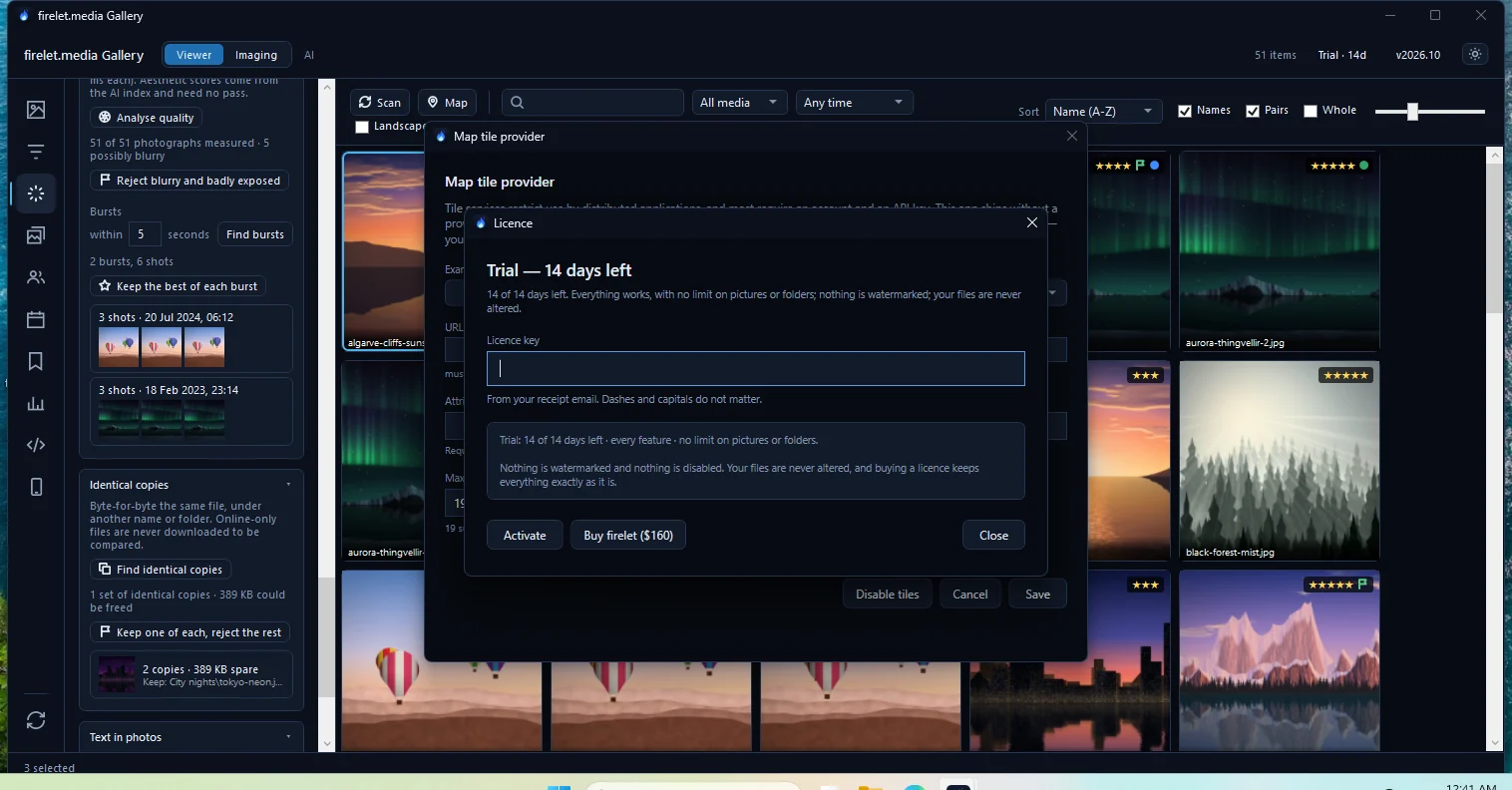
The seat is now free for the new computer. The same question tells you what the old PC does next:
- If it still has trial days left: "The gallery goes back to its trial here, with N of 14 days left."
- If its trial was used long ago: "This PC's trial has already been used, so the gallery stops adding new pictures here; everything already in the library can still be browsed and searched."
Its library, tags and search index are not touched. Deactivate this PC even works without an internet connection, by removing the licence from that computer. If the old machine still appears in your account afterwards, release it there as below.
Old PC is gone? Release the seat from your account
If the old computer has died, been sold or been wiped, free its seat online.
- Sign in at firelet.media/app.
- Open Devices ("Your computers"). You can also use the machine list under Licences.
- Find the old computer by its name. This is the Windows computer name, unless you renamed it here.
- Click Release beside it.
- Confirm "Free this seat? The machine keeps working until its licence expires, which can be up to ninety days."
The seat is free straight away. Released computers are listed under Released seats on the Devices page.
Steps on the new PC: install and activate
- Download the installer from the download page, or from your account under Downloads.
- Run it on the new computer and open the gallery.
- Click the licence label (Trial · 14d on a fresh install) in the title bar.
- Paste your key into Licence key and press Activate.
The label changes to Licensed. Full details, including what to do if activation fails, are in how to activate your licence key.
Moving your library to the new PC too
The licence and the library are separate. Moving the licence does not carry your photos or your gallery work across, so plan both:
- Your photos. Copy your photo folders to the new PC, or plug in the external drive they live on. If you can, keep the same drive letters and folder paths as on the old PC.
- Your gallery work. Stars, albums, keywords, people, edits and the AI index live in one file,
%LOCALAPPDATA%\PictureGallery\gallery.db. With the gallery closed on both computers, copy that file to the same place on the new PC. - If the paths must change, it is not guaranteed that a copied database finds your pictures at their new locations. Before you leave the old PC, write your stars, labels and keywords to XMP sidecars (Albums & keywords → XMP sidecars → Write changed pictures). On the new PC, attach the folders and use Import from XMP to read them back. Run Index library again for AI search.
Questions people ask
Can I move my licence as often as I like?
Yes. Release the seat and activate the next computer; moves are free and there is no limit on how many you make.
My old computer died. How do I free its seat?
Sign in to your account at firelet.media/app, open Devices, press Release beside that computer, then activate the new one.
What happens to the old PC after I deactivate it?
If it still has trial days left it goes back to its trial. If not, it stops adding new pictures, but everything already in its library can still be browsed and searched.
Was this article helpful?
Thank you — that is counted, and nothing else about you is. Still stuck? Ask a person.